
Oexta Clips for Windows
Your longest stream.
Your best shorts.
Drop in a stream recording, podcast, vlog or class. Oexta Clips transcribes it on your PC, finds the moments worth sharing and exports vertical shorts with animated captions, ready for TikTok, YouTube Shorts and Reels.
How to turn a long video into shorts
From a two hour stream to ready to post clips in a few minutes, all on your own PC.
-
1
Open a long recording
Drop in a stream, podcast, class or meeting recording, or press Choose a video. Oexta Clips writes the transcript on your PC. Your video is never uploaded.
-
2
Find the best moments
Press Find clips. Excited reactions, big laughs, loud moments and useful tips rise to the top, each with a score and the reason it was picked. Add your own Claude key if you want AI picks and titles.
-
3
Fine tune each clip
Click a clip to see a live vertical preview with captions. Drag the edges on the timeline, pick Bold, Karaoke or Clean captions, and choose the framing: Follow keeps the speaker in frame, Stack puts your facecam on top of the gameplay.
-
4
Export
Export one clip or every selected clip at once. Finished videos are saved to Videos, Oexta Clips, and your graphics card does the heavy lifting when you have one.
-
5
Post it
Each clip comes out ready for Shorts, TikTok and Reels: captions in time with your voice, the title on screen for the first seconds, and the pauses cut out.
Made with Oexta Clips
Three styles, one click each.
Bold · Karaoke with fit and blur · Clean with a title
Finds the good parts
The moments worth sharing, found for you.
- Excited reactions, big laughs, loud moments and useful tips rise to the top
- Keeps the build up that makes a moment land
- Optional AI picks: Claude reads the transcript and writes titles and post captions
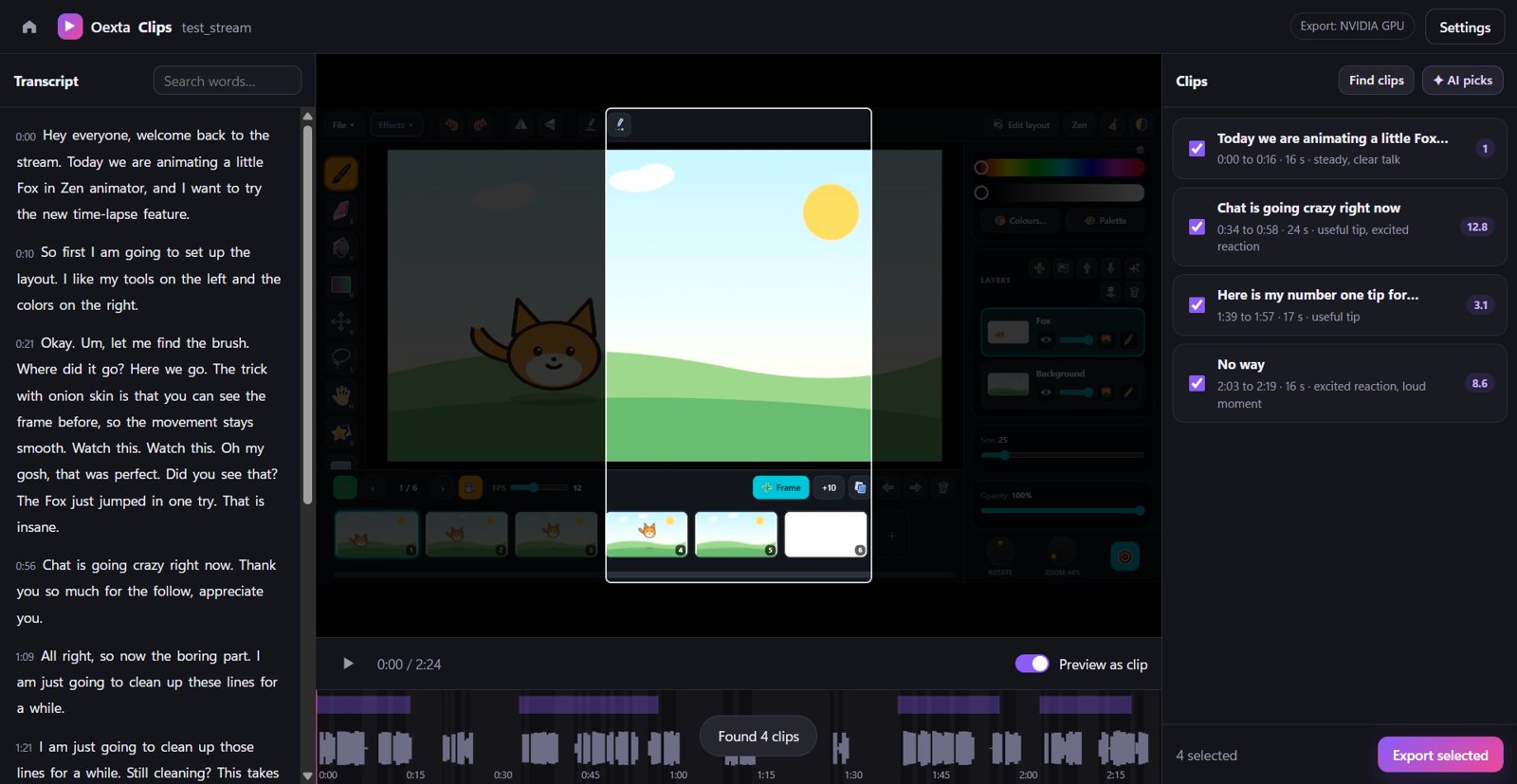
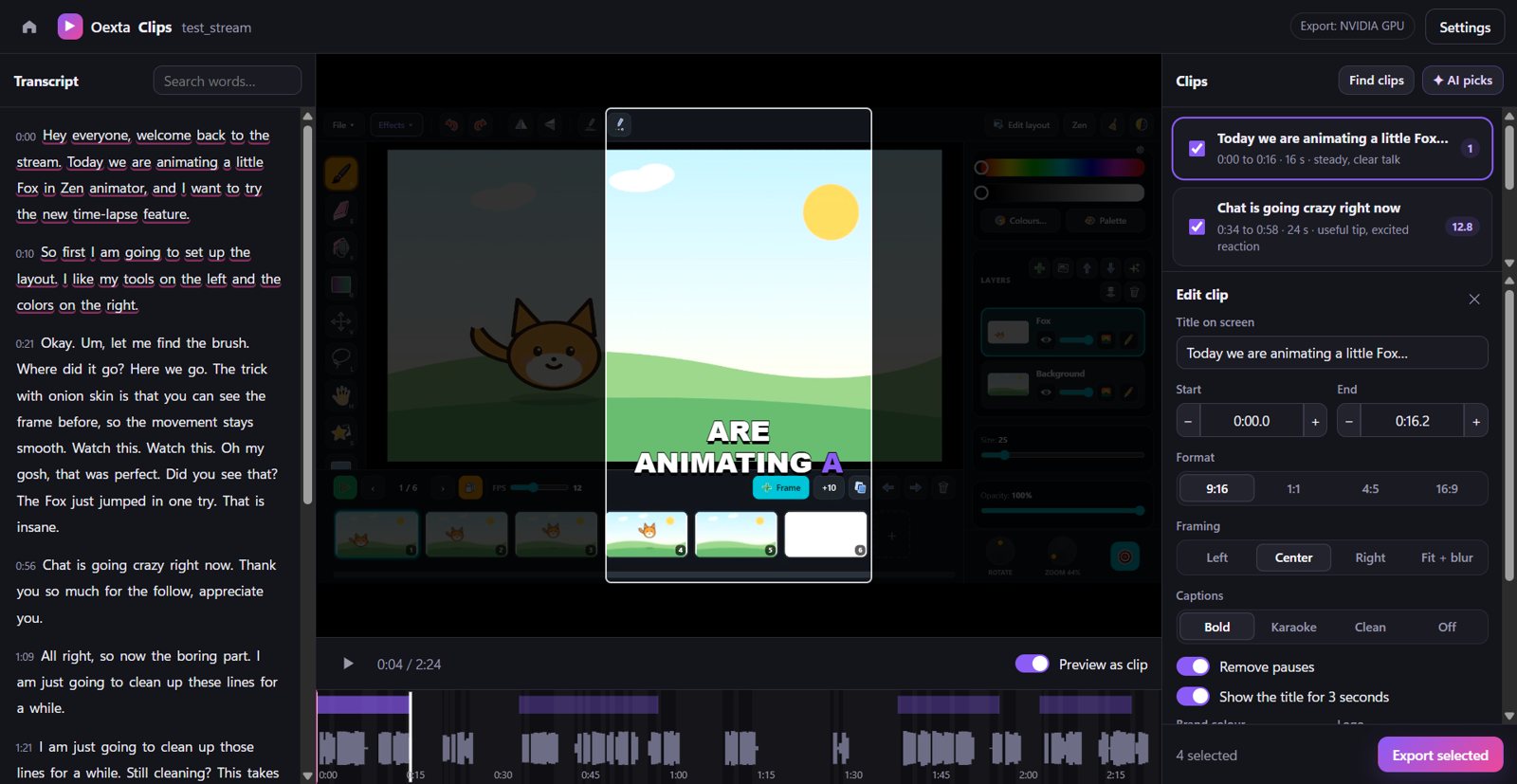
Edit by text
Select a sentence. That's your clip.
- Click any word to jump there; drag the clip edges on the timeline
- Live 9:16, 1:1, 4:5 or 16:9 preview with your captions
- Follow face keeps you in frame as you move. We tested it across skin tones and in dim rooms, so it works for everyone
- Titles, logo and music that ducks under your voice
- Pauses and dead air cut automatically
Private by design
Transcription runs on your PC. Your video is never uploaded. Privacy policy
Fast on your GPU
Exports use NVIDIA, Intel or AMD graphics when you have them. A two hour stream is ready in minutes.
AI only if you want it
Add your own Anthropic key for Claude's picks. Only the transcript text is sent, and a stream costs cents.
Requirements
Windows 10 (version 2004) or Windows 11, 64 bit. A graphics card is recommended for fast exports. Questions? support@oexta.com